













01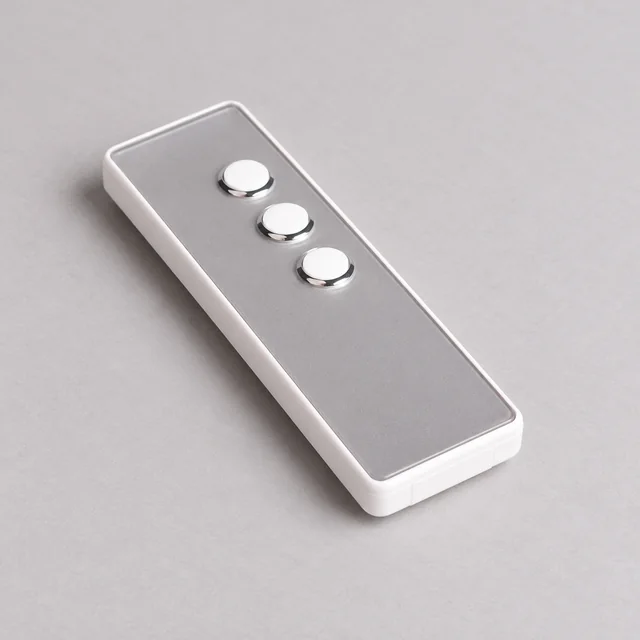
Remote control
Your setting. One touch.
Adjust a single covering or a configured group with a compatible handheld remote.
Individual or group controlThe component library
7 collections / 119 component guides
19 components
20 components
14 components
17 components
18 components
16 components
15 components
Component profiles and connections vary by system. Confirm dimensions and compatibility with NOVA for your selected assembly.
Motorisation & automation
A touch, a wall switch, or a daily routine. Choose how you move your coverings, then match the control to your motor system.
Remote control
Adjust a single covering or a configured group with a compatible handheld remote.
Individual or group control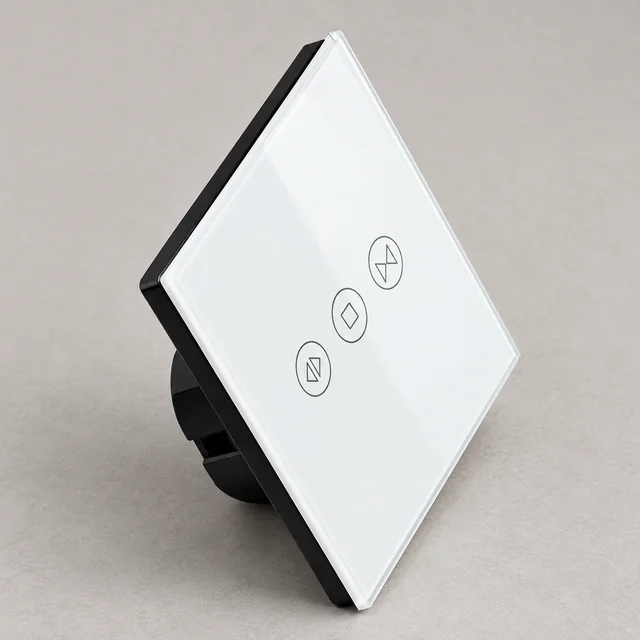
Wall control
Open, stop or close from a dedicated wall control, matched to your motor and installation.
A dedicated control pointGood morning.
Connected control
Bring app control, schedules and scenes together with a compatible motor and hub.
App, schedules & scenesDiscuss connected controlChoose the movement
Start with how you want your covering to move. Then match the drive and components. Lift, tilt and traverse functions depend on the selected system.
Motorisation controls movement; it does not change fabric opacity. Final light exclusion also depends on fabric, overlaps, edge gaps and installation. Motorised availability and functions are confirmed for the selected NOVA system.
Let’s get the fit right
Planning a complete system or identifying a replacement? These details help us understand what needs to work together.
Roller, zebra, Roman, wooden, vertical, curtains or motorisation; include the room type and whether this is a new assembly or a replacement.
Share width, drop or track length, units of measurement and whether dimensions describe the opening or the finished covering.
Identify the fabric, lining and heading where relevant. Provide weight information if available; do not estimate a component’s load rating from appearance.
Confirm ceiling, wall or recess fixing. Note the mounting surface, handles, obstructions, available depth and access for installation.
State manual or motorised operation, preferred control side, draw direction and any power or control requirements.
Include quantities and, for replacements, clear photos, measurements and any existing brand, model or part markings.
The practical details
For replacements, send a full-system photo, a close-up of the part connection and the relevant measurements.
No. Some assemblies use a separate hollow lower tube and an open outer profile; others use a closed triangular or another shaped rail. Match the cut-end shape, retaining lips, internal channels, end plugs and fabric clearance as a set. The lower tube is also different from the larger top tube that carries the fabric roll.
They perform different jobs. The left and right side plates locate the control and idler at the ends of the pelmet. Wall or ceiling brackets fix the assembly to the building. Check locating tabs, drive and pin openings, fixing slots and orientation; similar-looking plates and brackets can belong to different systems.
Do not assume interchangeability. Similar-looking tubes, brackets, carriers and controls can have different profiles, connections or load limits. Confirm the complete assembly and any replacement part with NOVA before ordering.
Sometimes, but it is not a universal drop-in conversion. A roller or zebra assembly needs a suitable tube, matched motor crown/drive adapters, mounting arrangement and power/control solution. Other blind and curtain systems use different drive arrangements. Share the existing system details so compatibility can be assessed.
Use the current technical information for the exact system and component being supplied. Opening size alone does not establish capacity: the fabric or curtain load, tube or track, support arrangement and operating method also matter. Request confirmation for your application rather than relying on a generic maximum.
Send a clear overview of the installed system, close-up photographs of the part and its connection, relevant dimensions, and any identifying markings. Include the operating side and describe the fault. Appearance alone is not enough to identify a compatible replacement.
Accessible cord or chain loops can present a serious risk to children. Use the appropriate safety arrangement for the selected system and follow its manufacturer’s installation and operating instructions. Do not remove or bypass safety devices; ask for guidance if one is missing or damaged.
Work with NOVA
Share your system, dimensions and preferred operation. Let’s bring the details together.
Browse catalogues